
How to Find Your Router IP Address and Default Gateway
The reliable way to find your router's local IP is to read the default gateway for the WiFi or Ethernet connection you are actively using. On Windows, run ipconfig; on iPhone/iPad, open the connected WiFi network and read Router; on Mac, open WiFi details and read Router; on Android, open the connected network details and look for Gateway or Router.
If the gateway is 192.168.254.254, open http://192.168.254.254/. If your device reports another private address, use that address instead.
Router IP, Default Gateway, and Public IP Are Different
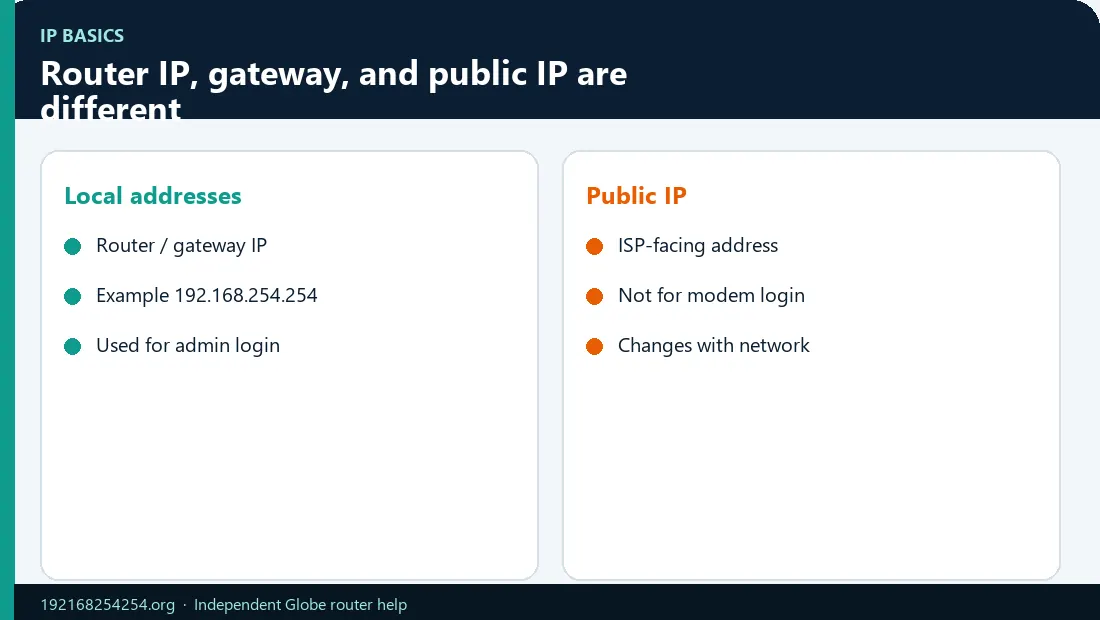
| Term | Meaning | Example |
|---|---|---|
| Router IP / LAN IP | The router interface's address on your local network | 192.168.254.254 |
| Default gateway | The next-hop address your device uses for traffic leaving its local subnet | Often the local router IP |
| Device IP | The local address assigned to your phone/computer | 192.168.254.12 |
| Public IP | The internet-facing address assigned/shared by the ISP | Not normally used to open the local admin page |
| DNS server | Resolves domain names to IP addresses | May be the router or another server |
On a typical simple home network, the router IP and IPv4 default gateway are the same. In a mesh, VPN, business, or multi-router network, the result may represent a different next hop or virtual interface.
Find the Router IP on Windows
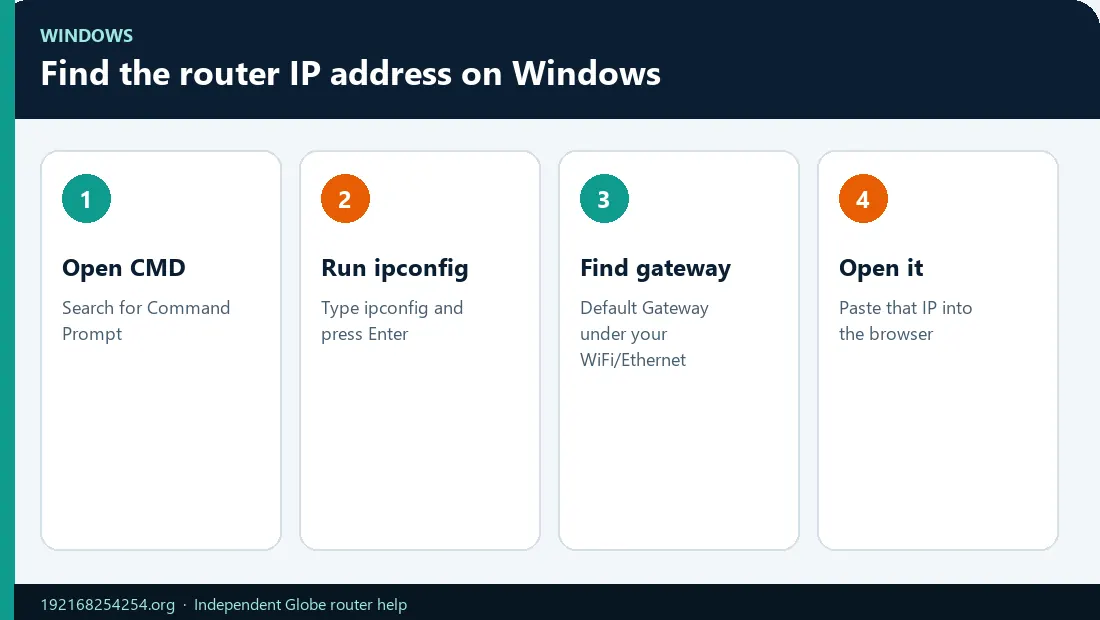
Command Prompt method
- Press the Windows key.
- Type
cmdand open Command Prompt. - Run:
ipconfig
- Find the adapter that is actively connected:
– Wireless LAN adapter Wi-Fi for WiFi; – Ethernet adapter for a cable connection.
- Read the IPv4 value beside Default Gateway.
Microsoft's ipconfig documentation confirms that the command displays IPv4/IPv6 addresses, subnet masks, and default gateways.
Ignore adapters marked Media disconnected, virtual-machine adapters, old VPN adapters, and interfaces with no gateway. If both WiFi and Ethernet are connected, use the adapter that carries the connection you are testing.
Windows Settings method
- Open Settings → Network & internet.
- Choose Wi-Fi or Ethernet.
- Open the properties/details for the active connection.
- Read the IPv4 gateway or equivalent gateway field.
If Windows shows a client address beginning with 169.254, it may not have received a normal DHCP configuration from the router. Fix the connection before expecting the admin page to work.
Find the Router IP on macOS
System Settings
- Open Apple menu → System Settings.
- Choose Wi-Fi or Network.
- Select the active connection and choose Details.
- Open TCP/IP if needed.
- Read the value labelled Router.
Apple's Mac WiFi settings documentation says network details can show the IP and router addresses.
Terminal
Run:
route -n get default
Read the value beside gateway. If a VPN is active, inspect whether the result belongs to its virtual interface; disconnect the VPN temporarily or use the gateway associated with the physical WiFi/Ethernet service.
Find the Router IP on iPhone or iPad
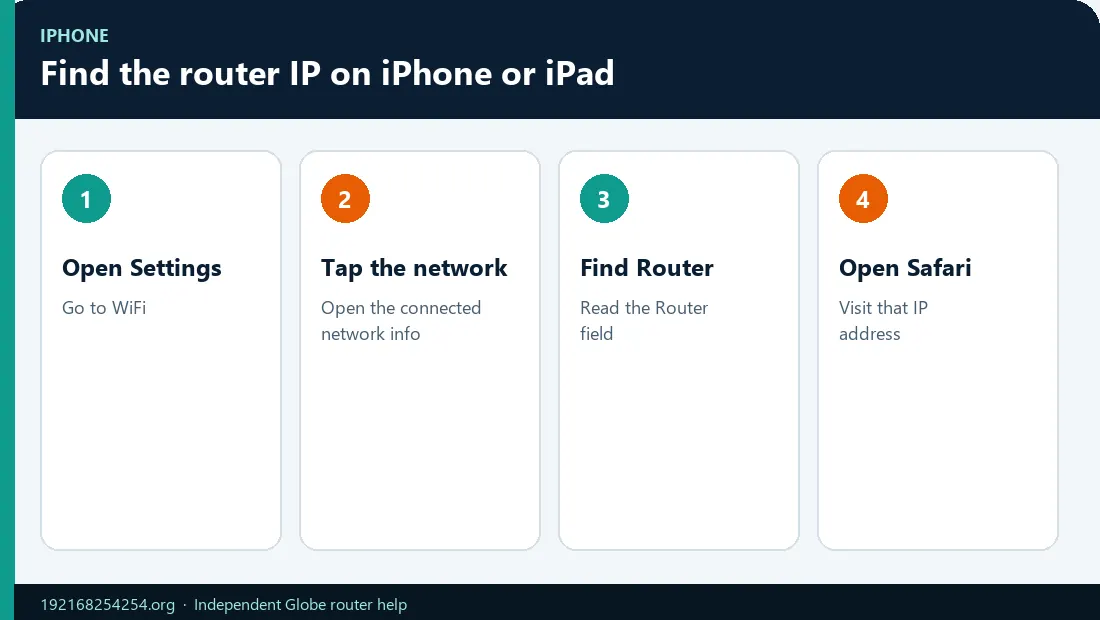
- Open Settings.
- Tap Wi-Fi.
- Tap the information button beside the connected network.
- Scroll to the IPv4 section.
- Read Router.
Do not use the phone's IP Address field; that is the address assigned to the iPhone/iPad. The Router field is the local gateway.
If mobile data takes over when the WiFi has no internet, keep WiFi connected and temporarily disable cellular data for the local-dashboard test.
Find the Router IP on Android
Android menu names vary by brand and version. A common path is:
- Open Settings → Network & internet → Internet or Wi-Fi.
- Tap the active WiFi network or its settings icon.
- Expand Network details, Advanced, or View more.
- Read Gateway or Router.
On Samsung devices, the information may appear under the connected network's gear icon and View more. On other devices, the gateway may be visible in IP details.
Do not infer the gateway by changing the last number of the phone's IP. Many networks use .1, but others use .254 or a different address. Read the actual field whenever available.
Find the Router IP on Linux
Open a terminal and run:
ip route show default
Look for a line similar to:
default via 192.168.254.254 dev wlan0
The value after via is the gateway. If several default routes appear, compare the interface name and route metric. The active lower-metric route is commonly preferred, but VPN and policy routing can change the result.
Alternative commands include ip route or, on older systems, route -n and netstat -rn.
Find the Router IP on ChromeOS
- Select the status area and open Settings.
- Choose Network and the connected WiFi or Ethernet network.
- Expand Network or IP details.
- Read the gateway value.
ChromeOS versions can move the field. Use the connected network's details, not an available but disconnected SSID.
Interpret the Address You Find
Once that local page opens, use the 192.168.254.254 username and password guide to choose the admin credentials—not the WiFi key—unless the label confirms they are the same.
The gateway is `192.168.254.254`
Open http://192.168.254.254/ in the browser address bar. If this is a Globe device, use the Globe router login guide.
The gateway is another private address
Open that address instead. Private IPv4 ranges are:
10.0.0.0to10.255.255.255;172.16.0.0to172.31.255.255;192.168.0.0to192.168.255.255.
IANA documents these blocks for private networks. Do not change the router to 192.168.254.254 merely because a search result uses that number.
No default gateway appears
The device may not be fully connected, the adapter may be inactive, or the network may have failed to supply routing information. Reconnect to the intended WiFi/LAN and renew the connection.
The device IP begins with `169.254`
This is an IPv4 link-local/APIPA result and often means the client did not obtain a normal address from DHCP. Check the WiFi association, cable, DHCP service, and router state.
The gateway is `10.x.x.x` while a VPN is active
That can be a virtual VPN gateway rather than the physical router. Disconnect the VPN temporarily or inspect the gateway for the physical adapter.
The address opens a personal router or mesh dashboard
That device is the immediate gateway. The Globe modem/ONT may be upstream on a different subnet. Do not guess its address or set a random static IP; map the physical connections and use the exact model information.
Open the Router Address Safely
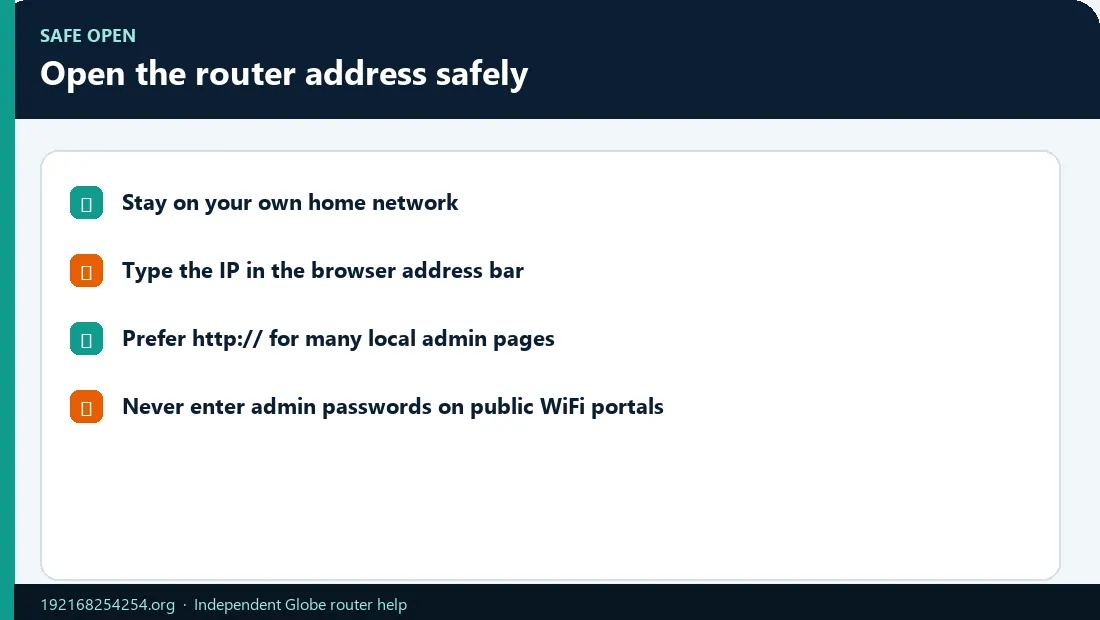
- Confirm you are connected to your own network.
- Enter the private IP directly in the browser address bar.
- Start with the protocol documented for the model; supported Globe instructions use
http://192.168.254.254/. - Confirm that the login-page branding/model matches the physical device.
- Enter admin credentials only on that local page.
Do not submit credentials to a website that claims to “connect” or “check” your router remotely. A public guide can link to a local IP, but it cannot see which device answers inside your home.
Why the Default Gateway May Not Be the Admin Page
When the gateway belongs to a different Globe modem, ONU/ONT, CPE, or mesh unit, check Globe router models and management methods before forcing 192.168.254.254.
The gateway's primary role is routing. A browser dashboard is a separate service. The gateway can be correct even when:
- local web management is disabled;
- the router is managed only through an app;
- the interface listens on a different protocol or port;
- a guest network blocks administration;
- the ISP limits customer access;
- a firewall or browser policy blocks local device access.
If the correct gateway will not open, follow the 192.168.254.254 not-working guide and adapt the steps to the address you found.
Multi-Router, Mesh, Extender, and Bridge Cases
Personal router behind a Globe modem
Your device reports the personal router as its gateway. The Globe box is one hop upstream. Port forwarding or admin access may require both devices and can involve double NAT.
Mesh system
The primary mesh node often owns the gateway and app-based administration. Satellite nodes usually bridge traffic and do not have independent user-facing dashboards.
WiFi extender
An extender can broadcast another SSID while forwarding to the main router. Its management IP may differ from the default gateway.
Bridge mode
An ISP device in bridge mode may no longer act as the household default gateway. The downstream router owns routing, while the bridged device may use a separate management subnet.
These topologies are why “try these five common IPs” is weaker than reading the current route.
Frequently Asked Questions
What is my Globe default gateway?
Read the active gateway on a device connected to the Globe network. Many supported Home Prepaid WiFi units use 192.168.254.254, but Globe devices and installations differ.
Is the default gateway the same as the router IP?
On a simple home network, the IPv4 default gateway is normally the local router interface. In multi-router, VPN, or mesh configurations, it may represent another next hop.
Is the router IP the same as my public IP?
No. The router IP is normally private and used inside the LAN. The public IP represents the internet-facing connection and can be shared through NAT or CGNAT.
Can I find the gateway without internet?
Yes. The value comes from the local network configuration. The device must be connected to the router even if the WAN internet service is down.
Why do I see several default gateways?
You may have IPv4 and IPv6 routes, several active adapters, a VPN, or virtual networking software. Use the route tied to the physical connection you want to manage.
Can I use `192.168.1.1` if `192.168.254.254` fails?
Use the address reported by your device or label. Randomly trying common addresses is less reliable and can open a different device in a multi-router network.
What if the router field is blank?
Reconnect to WiFi/LAN, ensure DHCP/automatic addressing is enabled, and restart the local connection or router. A blank gateway means the device does not currently have a usable default route for that interface.
Does the IP identify my router model?
No. Private IPs are reusable and configurable. Identify the model from the physical label and interface branding.
Sources
- Microsoft:
ipconfig - Microsoft: Windows WiFi troubleshooting and gateway test
- Apple: WiFi settings on Mac
- Android Help: Advanced network settings
- IANA: Private-use IP addresses
- RFC 3927: IPv4 Link-Local Addresses
Last reviewed: 2 October 2026